Staff applications your mods can review in one click
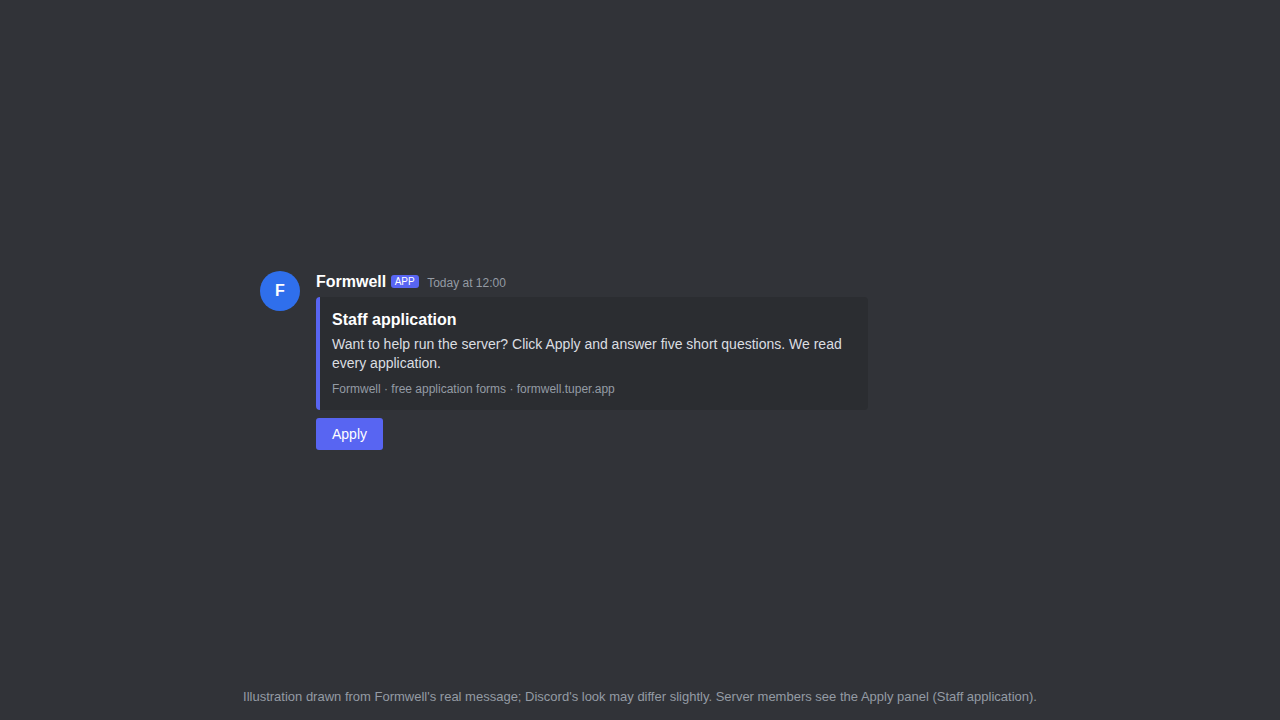
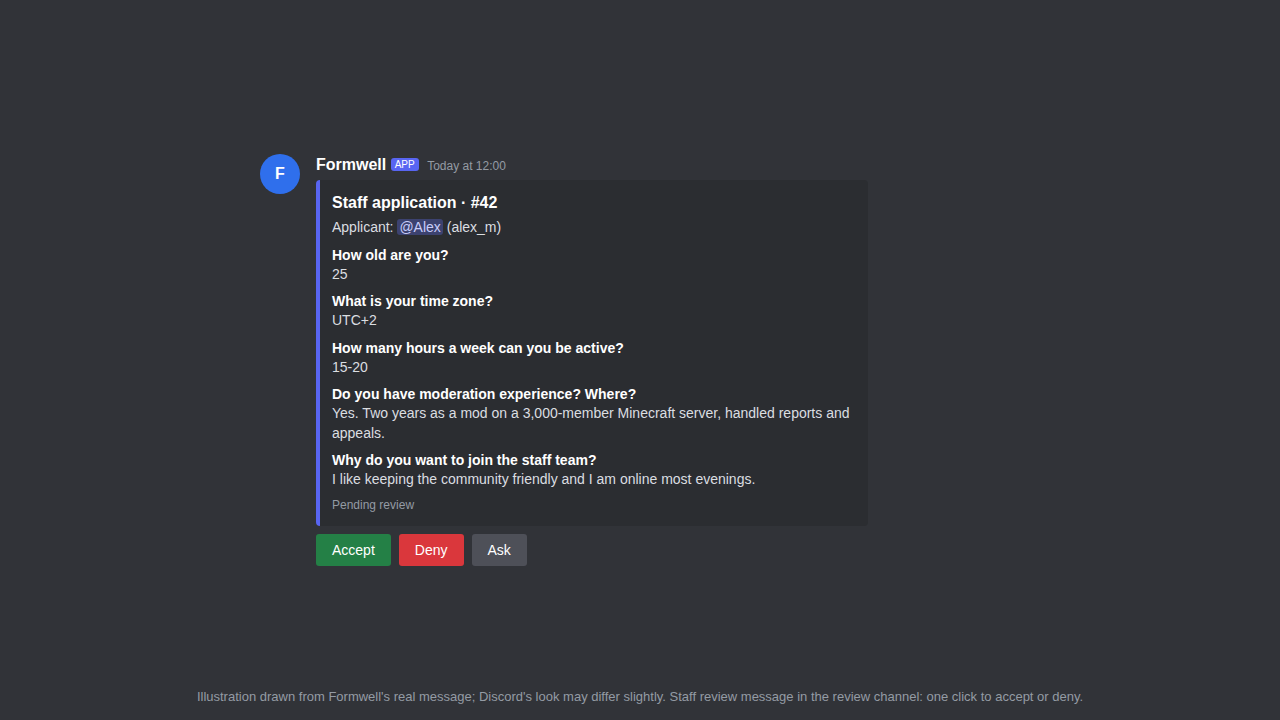
Formwell turns a button in your Discord server into a form. Answers land in a review channel with Accept and Deny; accepting gives the role and DMs the member. Set up with slash commands, no dashboard and no Google Forms.
Free: 3 forms with 5 questions each. Formwell is new and still being tested in real servers; tell us what breaks at formwell@tuper.app.
Quick start
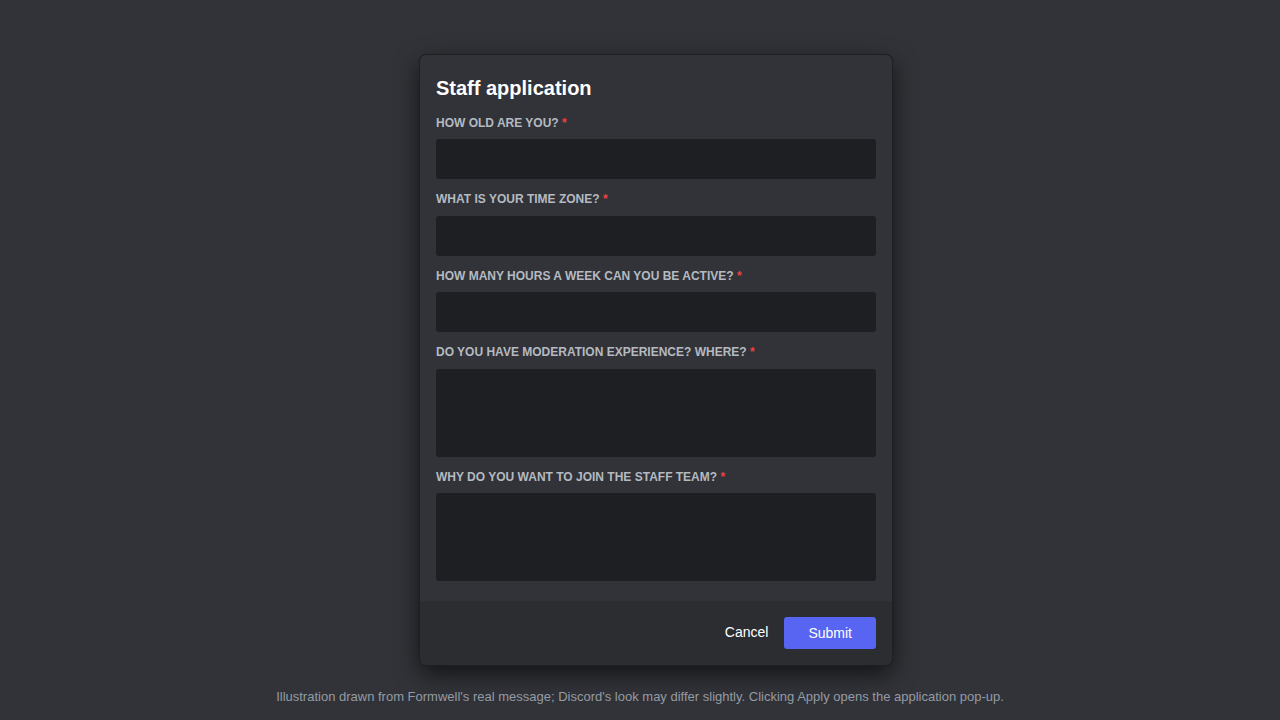
/form create then /form add-question (up to 5), then /form publish in the channel where members should see the Apply button. Or build the form in the free application form builder and paste the commands it gives you.
How it looks in your server
What Formwell does
Forms inside Discord
Members click Apply and answer in a Discord pop-up form. No external links and no accounts to make.
Review with buttons
Each submission is posted to your review channel. Accept, Deny with a reason, or (on Pro) Ask to open a private interview thread.
Roles and DMs on accept
Accepting gives the role you picked and DMs the member. Denials send your reason, so nobody is left waiting.
Pricing
Free
- 3 forms with 5 questions each, unlimited submissions
- Review channel, accept and deny, role on accept, DMs
Pro
or $48/year per server (2 months free)
- Up to 50 forms, multi-page forms up to 25 questions
- One application per member, cooldowns, required role, custom messages
- CSV export and private interview threads
How: add Formwell, then run /premium in your server and pick monthly or yearly. Checkout by Polar (merchant of record: card, taxes, invoices); Pro switches on for that server within a minute. Cancel any time in the Polar customer portal.